Whisper v4 Overview
 Try AI models free on FlowGPT
At a glance

- Vendor: OpenAI
- Type: Automatic speech recognition (ASR) / transcription model
- Modality: Audio → Text
- Best for: Transcription, translation, voice interfaces, subtitle generation
- Access: Open-source weights on GitHub; API via OpenAI platform; community deployments on FlowGPT
Whisper v4 represents the latest iteration of OpenAI's open-source automatic speech recognition system, building on a model family that has become one of the most widely adopted transcription tools in the developer ecosystem. Whether you're building a voice-first application, generating subtitles for video content, or translating spoken audio into English text, Whisper v4 delivers robust multilingual performance in a package that runs on consumer hardware or scales to cloud deployment.
What Whisper is and where it fits
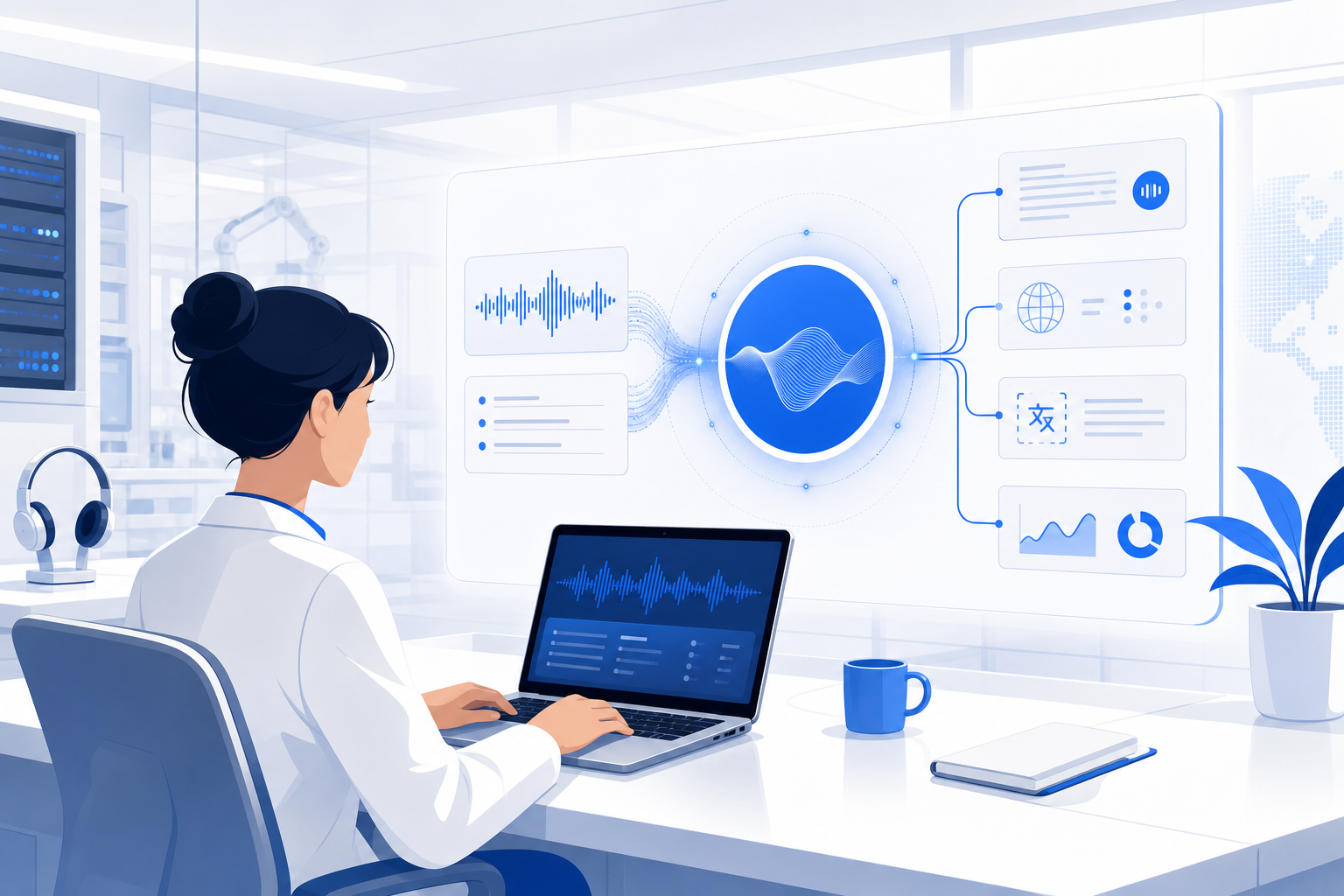
Whisper is a sequence-to-sequence transformer model trained on a large dataset of diverse audio sourced from the web. Rather than specializing in a single language or domain, it was designed from the ground up for breadth — covering dozens of languages, a wide range of accents, and real-world acoustic conditions like background noise, music, and telephone audio.
The model operates as an encoder-decoder: audio is converted to a log-Mel spectrogram, passed through the encoder, and decoded token by token into text. This architecture enables it to handle not just transcription but also language detection and spoken-language translation in a single forward pass.
Whisper v4 sits in the broader landscape of ASR tools as a strong open-weight alternative to proprietary cloud services. Teams that want control over their data, need offline capability, or want to fine-tune on domain-specific audio have a compelling reason to choose it over closed APIs.
Core capabilities
Multilingual transcription
Whisper v4 supports transcription in a large number of languages — vendor-reported coverage spans roughly 100 languages, though accuracy varies by language and available training data. High-resource languages like English, Spanish, French, German, Japanese, and Mandarin tend to produce highly accurate output. For lower-resource languages, results are usable but may require post-processing or fine-tuning. Always consult the official OpenAI Whisper documentation for the current language list and accuracy notes.
Speech-to-English translation
One of Whisper's distinguishing features is its ability to translate non-English audio directly into English text without a separate translation step. This makes it especially useful for multilingual workflows where you want a single English transcript of content recorded in multiple languages.
Robust noise handling
Whisper was trained on audio collected from real-world web sources, which means it saw a wide variety of recording conditions during training. The result is a model that handles background noise, varying microphone quality, and non-studio environments better than many narrow ASR systems trained on clean studio data.
Timestamp and word-level alignment
The model can produce segment-level and — with community tooling like whisperx — word-level timestamps. This makes Whisper v4 practical for subtitle generation, video editing workflows, and any use case that requires synchronizing text to a specific moment in the audio stream.
Multiple model sizes
OpenAI releases Whisper as a family of checkpoints ranging from tiny (39M parameters) to large (1.5B+ parameters). Smaller sizes run fast on CPU and are suitable for latency-sensitive or resource-constrained environments; the large models prioritize accuracy. V4 improvements primarily target the large model tier, but the full size range remains available, letting teams pick the right accuracy-versus-speed tradeoff.
Fine-tuning support
Because the weights are open, teams can fine-tune Whisper v4 on proprietary or domain-specific audio — medical dictation, legal proceedings, industry jargon, a particular speaker's voice — to close the gap between general-purpose accuracy and specialized requirements.
When to use Whisper v4 and who it's for
Whisper v4 is a strong fit when one or more of these conditions apply:
- Data privacy matters. Running the model locally means audio never leaves your infrastructure.
- You need multilingual coverage. Whisper handles language detection automatically, so mixed-language audio doesn't require routing logic.
- You're building for offline or edge deployment. The smaller checkpoints run on CPU; the medium tier runs comfortably on a single GPU.
- Accuracy on noisy or accented audio is critical. Its training distribution gives it an edge over models trained on cleaner but narrower datasets.
- You want to fine-tune. Open weights mean full control over specialization.
It is less ideal when you need real-time streaming transcription with sub-second latency, since Whisper's architecture processes audio in chunks rather than as a continuous stream. Community projects (like faster-whisper or whisper-live) address this with optimized inference, but out of the box it is a batch transcription model.
Who reaches for Whisper v4:
- Developers building voice interfaces, podcast tools, or meeting transcription products
- Content creators who need accurate subtitles across multiple languages
- Researchers processing large audio corpora offline
- Enterprises with strict data residency requirements that rule out third-party cloud APIs
How to access Whisper v4
Open-source weights
The model weights and inference code are available on the official OpenAI Whisper GitHub repository. You can install the Python package with pip and run inference locally with minimal setup. The community has also produced optimized inference backends — faster-whisper (CTranslate2-based) being the most popular for production use.
OpenAI API
OpenAI offers Whisper transcription through its API (/v1/audio/transcriptions and /v1/audio/translations endpoints). This is the easiest path if you want managed infrastructure without running your own GPU. Pricing and rate limits are detailed on the OpenAI pricing page and are subject to change.
FlowGPT
You can experiment with Whisper-powered workflows directly on FlowGPT. FlowGPT hosts community-built prompts and AI applications, including voice and transcription tools that leverage Whisper under the hood — making it a fast way to explore what Whisper v4 can do without writing any code.
FAQ
Is Whisper v4 truly open-source?
OpenAI releases Whisper's weights and code under the MIT license, which is one of the most permissive open-source licenses available. You can use, modify, and redistribute the model commercially. The training data itself is not released, so "open weights" is the more technically precise term, but the license gives you broad freedom to build on top of it.
How does Whisper v4 differ from earlier versions?
OpenAI has iteratively improved the Whisper model family with each release, refining training data curation, decoder behavior, and large-model accuracy. V4 targets improvements in transcription quality — particularly for challenging accents and noisy recordings — compared to the v3 large model. For specific benchmark comparisons, check the official release notes on the OpenAI GitHub repository, as vendor-reported figures should be taken as a reference point and verified against your own test audio.
Can Whisper v4 do real-time transcription?
Not natively. Whisper processes fixed audio chunks and is optimized for batch transcription rather than streaming. For near-real-time use cases, the community has built wrappers that split live audio into short segments and transcribe them sequentially, introducing a small lag. Projects like whisper-live and faster-whisper with streaming patches are worth evaluating if low latency is a hard requirement.
What audio formats does Whisper v4 accept?
Whisper supports common audio formats including MP3, MP4, WAV, FLAC, M4A, OGG, and WebM. When using the local Python library, ffmpeg handles format conversion, so most formats you encounter in practice will work. The OpenAI API enforces a file size limit per request — consult the current API documentation for the latest limit before sending large files.
Ready to try Whisper v4 in action? Head over to FlowGPT to explore community-built voice and transcription tools powered by Whisper, or build and share your own audio workflow with the FlowGPT community.